Mission 1: Palau Gauntlet / Caroline Islands west of the Philippines / January, 1944
Objective: Stop the "Yamato" before it can sink our fleet carrier, the "Gomer Pyle"
Briefing and mission download: Scroll down
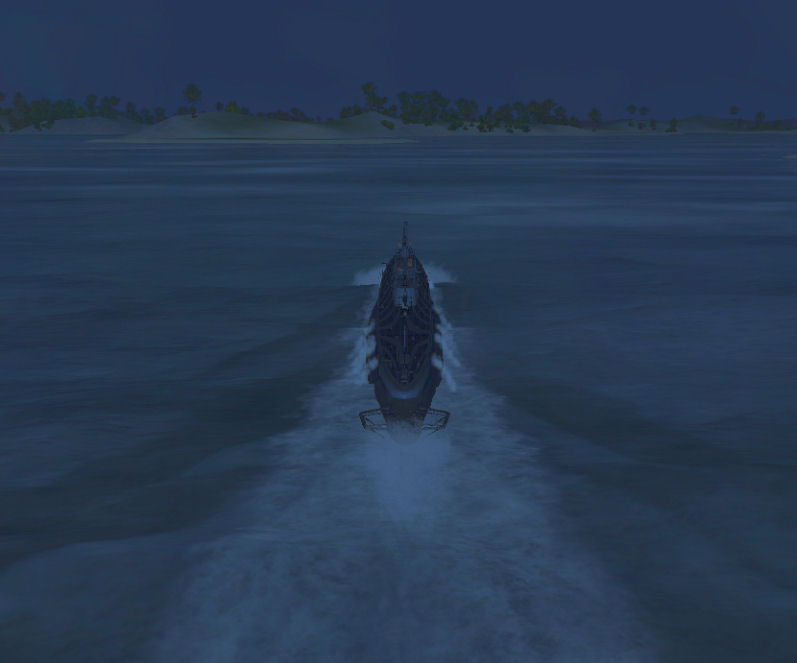
Picture: The "Haddock" at 20 knots flank speed, approaching Malakal reef and harbor at Palau from the west.
Time: 2000, Weather: Clear with light wind.
|
You are captain of the "Haddock", urgently diverted from
a routine patrol to ensure safe passage of the fleet carrier "Gomer Pyle"
approaching Palau from the northeast on its way to the Celebes Sea. It has just
been learned the super-battleship "Yamato" and a heavy cruiser will attempt
engaging the "Pyle" southeast of Koror. You are approaching Palau from the west
and must pass through Malakal Harbor to your final waypoint in vicinity of where
the "Pyle" is expected to run into trouble. There you must do your best to
thwart Japanese plans. |
| Mission Design: Captain J.
Hazelwood (who can sometimes be found in the
subsim Forum) Version: 2.1 (2007/04) Properties: Short mission (not a patrol). Moderate to very difficult depending on how waypoint probabilities unfold. Exciting surface vessel encounters and some risk-taking necessary to achieve success. Definitely replayable - Waypoint probabilities ensure a variety of responses. Tips: Proceed at flank speed all the way. Beware the destroyer lurking nearby as the mission begins. Mission waypoints mark the safest route through the harbor but be alert for emerging hazards. Make sure your crew is at battle-stations. Your seamanship will be tested during this phase of the mission: a bit too deep and you will scrape bottom - too exposed and the gunners will sink you. Web Site: http://www.wolfwillow.com/nu/westwind/Simulation_Gaming/SHIV/index.html Feedback: jhazelwood@shaw.ca |
|
Mission Download and Installation To download this mission, click here. You will receive a virus warning or some other cautionary advice because this file has an .EXE extension. If that makes you nervous, click here to download an ordinary ZIP file which you can extract yourself (WinXP will do it automatically). Be sure to specify a destination directory named \SM12 Palau Gauntlet on some suitable drive. The first download is a self-extracting .EXE file. Simply double click the file to extract. The default extraction location is \SM12 Palau Gauntlet It is up to you to you in either case to modify this folder specification to point to a valid disk drive. For example, you might modify the string to look like C:\SM12 Palau Gauntlet. In both types of download/extraction the process provides a clear opportunity to enter this information. When extraction is completed, copy or move the extracted folder and its contents to C:\Program Files\Ubisoft\Silent Hunter 4 Wolves of the Pacific\Data\SingleMissions (it is assumed you used the default installation location for Silent Hunter. If you used something else, modify the destination accordingly). You may rename the folder either before or after copying to anything you want but remember, you must also rename the two files in the folder so that the part of the name to the left of the extensions (.mis and .tsr) is identical to the folder name. If you don't, the simulation will not be able to find the mission. The mission will appear in your "Quick Missions" game menu as "Palau Gauntlet". |